

How I Made Our React Search Faster and Reduced Server Load
A practical React performance improvement using debounce and request cancellation to reduce unnecessary API calls.
How I Made Our React Search Faster and Reduced Server Load
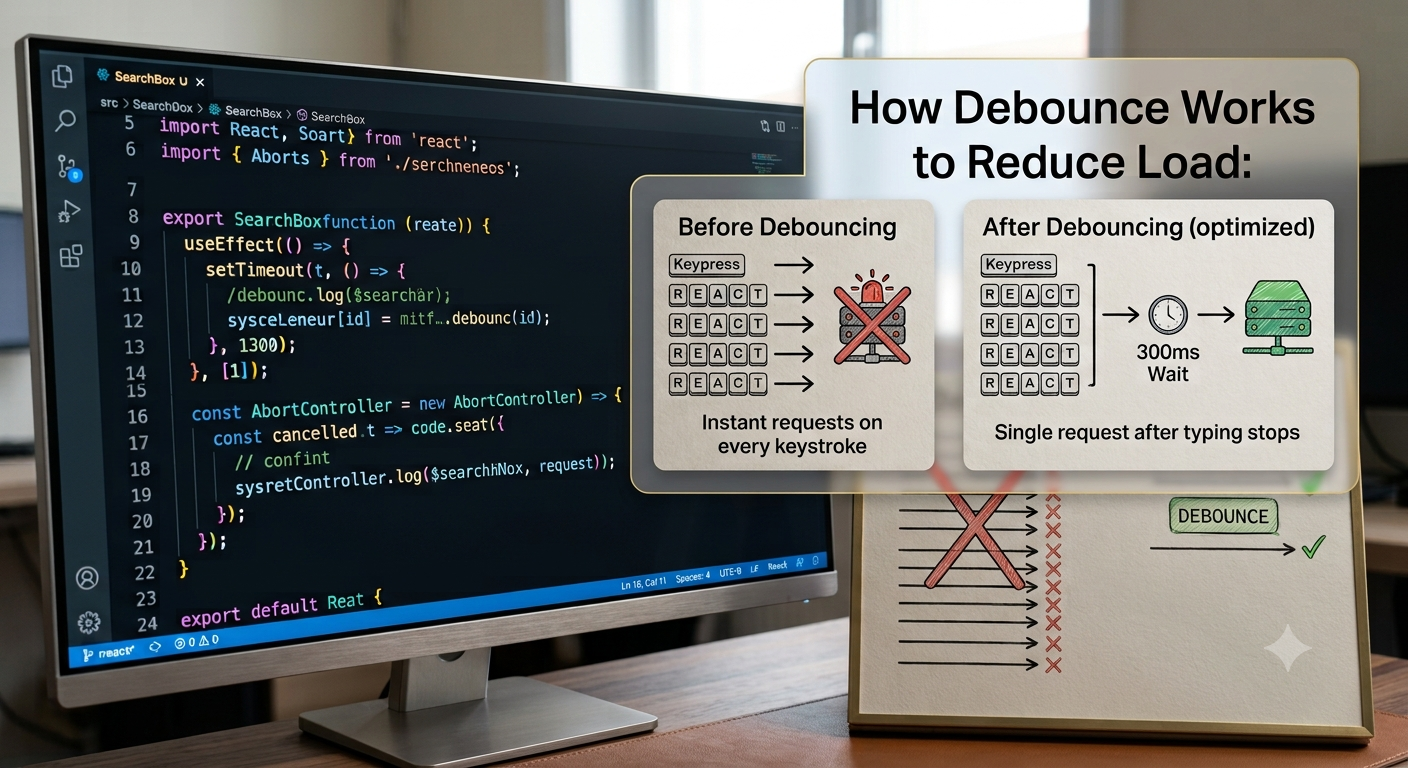
A few days ago, I noticed that our React search input was slow and sometimes froze.
The reason was simple: the app was sending an API request every time a letter was typed.
That means if a user typed fast, the server received too many requests in a short amount of time. As a result, both the React app and the server started struggling.
Users saw delays, slow results, and a poor search experience.
What Was Really Happening?
It was not the server’s fault.
It was not React’s fault either.
The real problem was how the search requests were triggered.
The app fired a request immediately on every keystroke, without waiting for the user to pause typing.
This may work fine for slow typing or simple searches. But for fast typing or many active users, it can quickly create performance issues.
The Problem with API Calls on Every Keystroke
Imagine a user types this word:
react
Without any optimization, the app may send requests like this:
/api/search?q=r
/api/search?q=re
/api/search?q=rea
/api/search?q=reac
/api/search?q=react
Most of these requests are unnecessary because the user only cares about the final search result.
How I Fixed It
I used two simple techniques:
- Debounce the search input
- Cancel previous unfinished requests
Debounce waits for a short pause before running the search. In this case, I used around 300ms after the user stopped typing.
Request cancellation stops older unfinished API calls before starting a new one. This can be done using AbortController or Axios cancellation.
React Example with Debounce and AbortController
import { useEffect, useState } from "react";

function SearchBox() {
  const [query, setQuery] = useState("");
  const [results, setResults] = useState([]);

  useEffect(() => {
    if (!query.trim()) {
      setResults([]);
      return;
    }

    const controller = new AbortController();

    const debounceTimer = setTimeout(async () => {
      try {
        const response = await fetch(`/api/search?q=${encodeURIComponent(query)}`, {
          signal: controller.signal,
        });

        const data = await response.json();
        setResults(data);
      } catch (error) {
        if (error.name !== "AbortError") {
          console.error("Search request failed:", error);
        }
      }
    }, 300);

    return () => {
      clearTimeout(debounceTimer);
      controller.abort();
    };
  }, [query]);

  return (
    <div>
      <input
        type="text"
        value={query}
        onChange={(event) => setQuery(event.target.value)}
        placeholder="Search..."
      />

      <ul>
        {results.map((item) => (
          <li key={item.id}>{item.name}</li>
        ))}
      </ul>
    </div>
  );
}

export default SearchBox;
What Changed?
After adding debounce and request cancellation, the search experience became much smoother.
The React app felt faster, the server handled fewer requests, and users received quicker and more accurate results.
The best part was that we did not need to buy more servers or increase infrastructure cost.
What I Learned
Making React apps faster is not always about better hardware.
Sometimes, performance improves by handling user input and network requests in a smarter way.
Debounce and request cancellation are simple techniques, but together they can make a big difference in frontend performance.
Final Thoughts
Debounce is useful when you want to wait until the user stops typing before sending a request.
Request cancellation is useful when old requests are no longer needed.
Together, they help reduce server load and create a better user experience in React applications.
Have you used debounce or request cancellation in your React projects?
Share your tips and experience. Let’s build better React apps together.